
Overview:
Overview:
Shipping industry is recognizing the value of data and is looking for professionals who can help interpret the data and can present them in the simplest form to make most of the technologies & the data available.
However, finding individuals with both maritime expertise and data analysis skills is challenging. To address this gap, we hosted a masterclass to introduce data analytics tools and demonstrate their application in maritime contexts, offering a solution to the industry's talent search issue. This masterclass will take you through the details of our training program and through a demo course.
The masterclass includes:
Session 1
- Working with Functions
- Basic functions:(Sum + Average + Max +Min +Count+ Auto Sum)
- Working with referencing
- Cell addressing/referencing methods (Absolute + Relative + Mixed + range and more)
- Logical functions
- If + And +Nested IF
- Utilize Formatting features
- Conditional formatting
- Assignment / Exercise
Session 2
- Database management in excel
- Static/Range and Dynamic Database Concepts +Tables+ Sort + Filter+ Remove Duplicates
- Statistical functions
- (SumIf + SumIfs +AverageIf + AverageIfs + CountIf +CountIfs)
- Name manager
- Naming the range + Using the name range in formulas
- Data validation
- Creating and working with lists
- Creating custom validation, handling input, and error alerts
- Date/Time Calculations in Excel.
- Cell & workbook protections
- Assignment / Exercise
Session 3
- Text to Column Concepts
- Text Function to Clean and prepare data
- Look Up Reference functions.
- VLookup + Vlookup with IFError + +Index + Match
- Assignment / Exercise
Session 4
- Flash Fill +Transpose
- Working with charts
- Different Types, Creating Excel Charts, Pivot Charts
- Formatting, Design, and Layout of the Chart
- Creating, Applying, and Removing Chart Templates, and
- Dynamic Charts
- Working with Pivot Tables
- Introduction & creation of pivot tables
- Overview & review of the assignments given
- Debriefing & how you could continue using excel after the course.
This course will take you through the complete training for using Excel effectively, covering everything from basic functions and formulas to advanced data analysis techniques. By the end of the course, you'll be equipped with the skills to manipulate data, create insightful visualizations, and streamline your workflow, making you a proficient Excel user ready to tackle any spreadsheet task with confidence.
Regards,
Sea and Beyond

Sea and Beyond
At Sea and Beyond we strive for authenticity and honesty in our work. Our mission is to help “You take a well informed decision” and we try and support you through our various services like
- Mentoring
- Skill enhancement/Education
- Job Opportunities and
- Your branding (CV and LinkedIn preparation)
We have a team of writers who conduct thorough research to ensure the accuracy of the content and for the clarity in communication. We will be happy to support you wherever required
Rating:
Price:
₹ 0
Language:
English
Length:
12 Hrs
Intended for:
Maritime professionals aiming to upskill and advance their careers.
Reference:
Topics:
2
1. Excel Course | Session 1 | Jayshree Tawari
Welcome to the session 1 of Maritime Focused Excel course, the topics covered in the session includes:
- Working with Functions
- Basic functions:(Sum + Average + Max +Min +Count+ Auto Sum)
- Working with referencing
- Cell addressing/referencing methods (Absolute + Relative + Mixed + range and more)
- Logical functions
- If + And +Nested IF
- Utilize Formatting features
- Conditional formatting
- Assignment / Exercise
Happy Learning!
2
2. Excel Course | Session 2 | Mrs. Jayashree Tawari | Part 1
Welcome to the session 2 of Maritime Focused Excel course, the topics covered in the session includes:
Database management in excel
Static/Range and Dynamic Database Concepts +Tables+ Sort + Filter+ Remove Duplicates
Statistical functions
(SumIf + SumIfs +AverageIf + AverageIfs + CountIf +CountIfs)
Name manager
Naming the range + Using the name range in formulas
Data validation
Creating and working with lists
Creating custom validation, handling input, and error alerts
Date/Time Calculations in Excel.
Cell & workbook protections
Assignment / Exercise
Happy Learning!
1
3. Excel Course | Session 2 | Mr. Tiju Chandy | Part 2
Welcome to the session 2 of Maritime Focused Excel course, the topics covered in the session includes:
Database management in excel
Static/Range and Dynamic Database Concepts +Tables+ Sort + Filter+ Remove Duplicates
Statistical functions
(SumIf + SumIfs +AverageIf + AverageIfs + CountIf +CountIfs)
Name manager
Naming the range + Using the name range in formulas
Data validation
Creating and working with lists
Creating custom validation, handling input, and error alerts
Date/Time Calculations in Excel.
Cell & workbook protections
Assignment / Exercise
Happy Learning!
3
4. Excel Course | Session 3 | Mrs. Jayashree Tawari
Welcome to the session 3 of Maritime Focused Excel course, the topics covered in the session includes:
Text to Column Concepts
Text and Date/Time Calculations in Excel.
Look Up Reference functions
VLookup + Reverse Vlookup + Vlookup with IF + Vlookup with Indirect +Vlookup with IFError + HLookup +Index + Match + Wildcards in Vlookup
Assignment / Exercise
Happy Learning!
3
5. Excel Course | Session 4 | Mrs. Jayashree Tawari | Mr Tiju Chandy
Welcome to the session 4 of Maritime Focused Excel course, the topics covered in the session includes:
Remove Duplicates + Import/Export Data + Flash Fill + Concatenate +Transpose
Working with charts
Different Types, Creating Excel Charts, Pivot Charts
Formatting, Design, and Layout of the Chart
Creating, Applying, and Removing Chart Templates, Sparkline, and
Dynamic Charts
Working with Pivot Tables
Introduction & creation of pivot tables
Overview & review of the assignments given
Debriefing & how you could continue using Excel after the course.
Happy Learning!
1
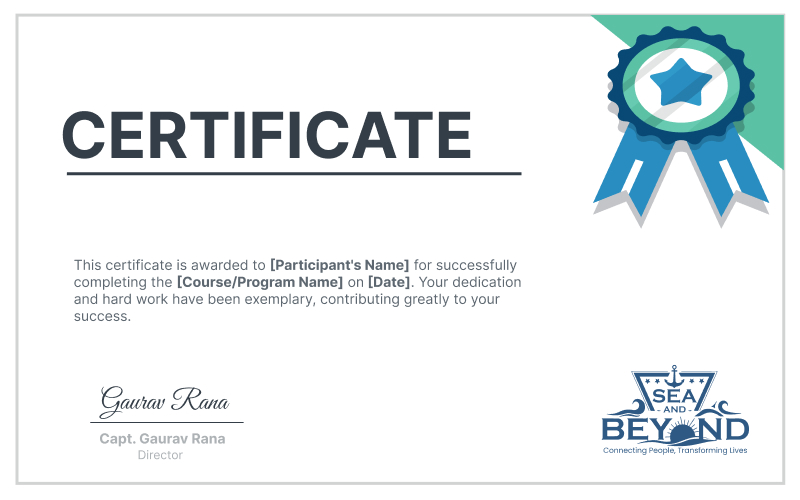
Successful completion of this course will earn you a certificate of completion from Sea and Beyond. This certificate will be emailed to you and you could also share and show it on LinkedIn Please click on the button below to purchase the certificate.


Reviews...
Karn Shukla On Apr 26th 2025






Contact Us